
Academy / Messages
AI Smart Post: How Your Feed Posts Itself
Your AI picks an image from your free media, writes a caption in your voice, and posts it, to pull fans into your DMs where the selling happens.
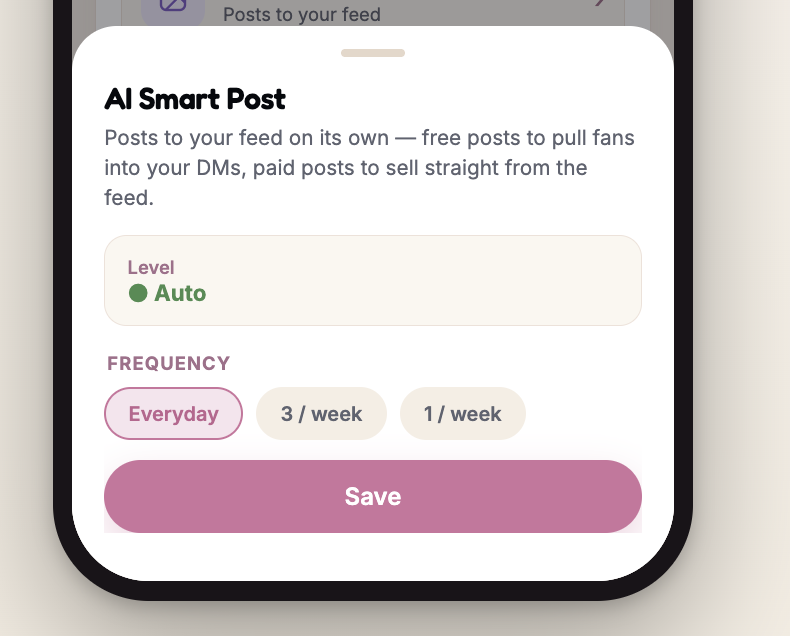
AI Smart Post publishes to your feed on a schedule you choose: every day, 3 times a week, or once a week. It only uses free media, never your paid content, and it will not repeat the same image for 30 days. Set it to Off, Ask me first, or Auto from the AI Actions list.
An empty feed is a quiet inbox. AI Smart Post keeps the feed moving without you thinking about it. Your AI picks something from your free media, writes a caption, and publishes it on a schedule you set.
Every caption ends with a reason to message you. That is the point of the feature. The post is not the sale, the DM is.
What are the three levels?
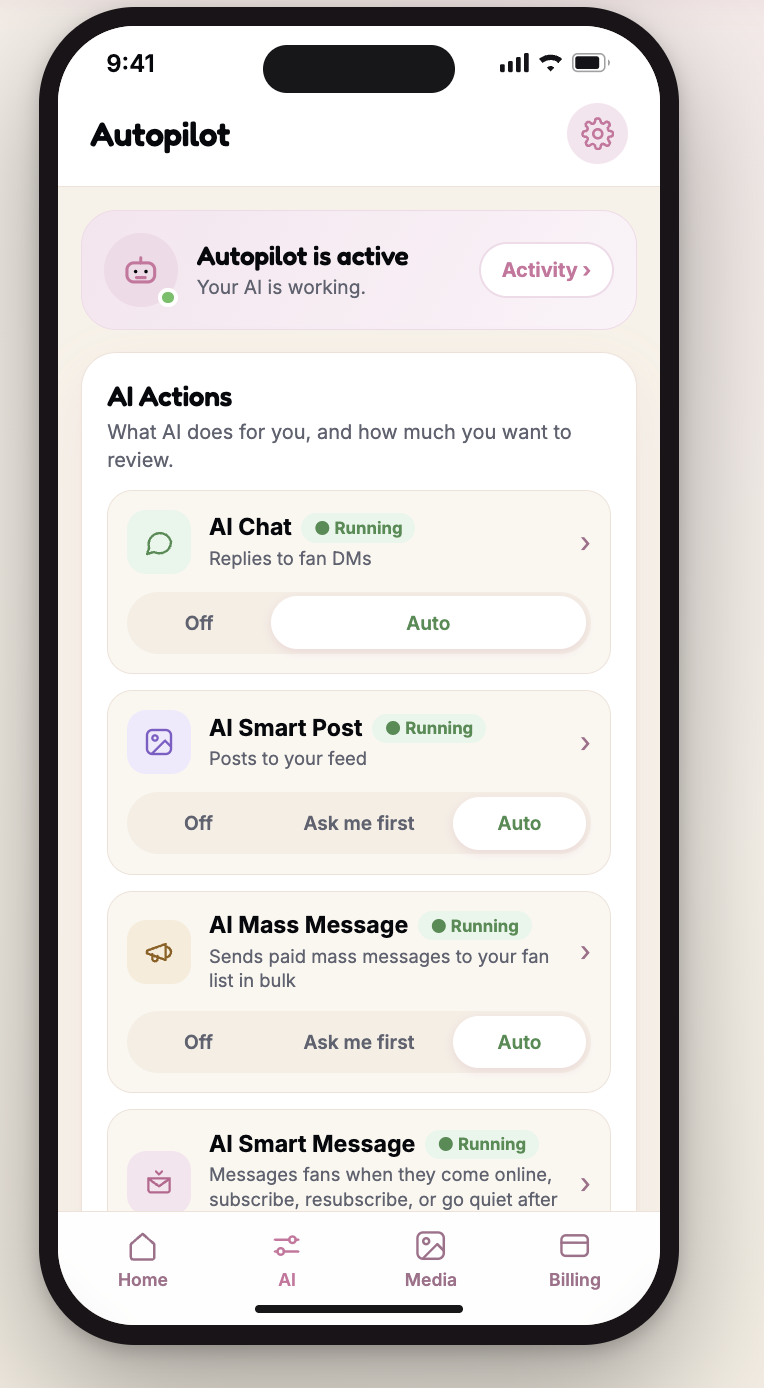
Like every proactive action, Smart Post has three settings. You change the level from the AI Actions list and it takes effect immediately, with no confirmation step.
Off
Your AI will not post at all.
Ask me first
Your AI prepares each post as a draft. Nothing goes out until you approve it.
Auto
Your AI picks an image from your free media and posts it on its own.
How often does it post?
Three options, set on the Smart Post screen.
The time of day is picked for you inside your active hours. Mornings by default, with some randomness so your feed does not post at the same minute every day. If a mass message is going out the same day, the two are spaced at least an hour apart.
What does it pick, and what will it not reuse?
| Rule | What it means |
|---|---|
| Free media only | Images come from the free items in your library. Your paid content is never posted. |
| 30 day cooldown | The same image will not be posted again for 30 days. |
| Your voice | Captions follow your persona and respect your hard limits. |
| Always a hook | Every caption includes a reason to message you. |
What happens if your free media runs low?
When there is not enough fresh material outside the 30 day cooldown, we ask you to add more in the Media tab rather than repeat yourself. The skipped slot shows up in your Activity Log with the reason, so a quiet week is visible instead of mysterious.
Mark a few more items free in an album you already uploaded. Your AI has new material for the next slot without you shooting anything.
Where do you find it?
Open the AI tab. Smart Post is the second row under AI Actions. Tap the row title to open its settings. Use the Off, Ask me first and Auto control on the row itself to change the level.
FAQ
Will AI Smart Post ever post my paid content?
No. It only uses items marked free in your media library. Paid items are reserved for locked messages.
Can I choose the exact time it posts?
Not directly. The time is picked inside your active hours, with some randomness. Narrowing your coverage hours narrows the window.
How do I approve posts before they go out?
Set the level to Ask me first. Your AI prepares each post as a draft and nothing publishes until you approve it.
Why did my AI skip a post?
Usually there was not enough free media outside the 30 day cooldown. The skipped slot and its reason appear in your Activity Log.
Can a post and a mass message go out on the same day?
Yes, but they are spaced at least an hour apart so your fans do not get both at once.